Skip to content
Encapsulating Network Requests
Introduction
By the time the earlier setup work is finished, you usually already have the skeleton of a real Electron application. But a skeleton alone is not enough to support business logic quickly. One of the core capabilities that turns a scaffold into something practical is a usable networking layer.
This article records one approach to packaging network requests in Electron.
Technology choices
There are many ways to structure desktop-side networking in Electron. Different developers and teams often choose different paths. I also looked through a variety of community discussions, for example:
https://www.zhihu.com/question/363765602
My decision was:
- renderer process uses
axios - main process uses Electron
net - both are wrapped behind one unified request layer
Request encapsulation also tends to involve:
- local token storage
- authentication state
- request interception
So this setup also needs local storage. I chose lowdb.
And to simulate backend behavior during development, I used a small local Koa server.
Core implementation
The final goal is to combine:
- a lightweight local data layer
- a unified HTTP layer
into a practical request module.
Local database implementation
Create a lowdb directory under src and add index.ts and low.ts.
First, implement low.ts. It only needs three basic capabilities:
- initialize data
- write data
- read data
typescript
import { LowSync, JSONFileSync } from "lowdb";
let dbInstance: any = null;

export interface WriteDbDataParams {
  key: string;
  value: any;
}

// Initialize the database
export const initDb = () => {
  const { app } = require("electron");
  const { join } = require("path");
  return new Promise(async (resolve) => {
    const file = join(app.getAppPath(), "db.json");
    const adapter = new JSONFileSync(file);
    dbInstance = new LowSync(adapter);
    await dbInstance.read();
    if (dbInstance.data && dbInstance.data["vite-react-electron-template"]) {
      resolve(true);
    } else {
      dbInstance.data = {
        "vite-react-electron-template": "yyds",
      };
      await dbInstance.write();
      resolve(true);
    }
  });
};

// Write data
export const writeDbData = async (data: WriteDbDataParams) => {
  if (dbInstance) {
    try {
      await dbInstance.read();
      dbInstance.data[data.key] = data.value;
      await dbInstance.write();
    } catch (err) {
      console.error(err);
    }
  }
};

// Read data
export const readDbData = (key: string) => {
  return new Promise(async (resolve) => {
    if (dbInstance) {
      try {
        await dbInstance.read();
        const res = dbInstance.data[key];
        resolve(res || "");
      } catch {
        resolve("");
      }
    } else {
      resolve("");
    }
  });
};
These methods are not directly callable everywhere, so the next step is to wrap them in a global interface that works from:
- main process
- renderer process
- work process
index.ts:
typescript
import { WriteDbDataParams, readDbData, writeDbData } from "./low";

export const gloabReadDbData = (key: string) => {
  if (import.meta.env.VITE_CURRENT_RUN_MODE === "main") {
    return readDbData(key);
  }
  if (import.meta.env.VITE_CURRENT_RUN_MODE === "work") {
    return new Promise((resolve) => {
      import("@/preload/index")
        .then((res) => {
          const { readDbData } = res;
          readDbData(key)
            .then((res) => {
              resolve(res);
            })
            .catch(() => {
              resolve("");
            });
        })
        .catch(() => {
          resolve("");
        });
    });
  }
  return window.nativeBridge.readDbData(key);
};

export const gloabWriteDbData = (data: WriteDbDataParams) => {
  console.log(import.meta.env.VITE_CURRENT_RUN_MODE);
  if (import.meta.env.VITE_CURRENT_RUN_MODE === "main") {
    return writeDbData(data);
  }
  if (import.meta.env.VITE_CURRENT_RUN_MODE === "work") {
    return import("@/preload/index").then((res) => {
      const { writeDbData } = res;
      writeDbData(data);
    });
  }
  return window.nativeBridge.writeDbData(data);
};
With that in place, shared data access becomes available across the different process types.
Request module implementation
The request layer uses:
axiosin renderer and work processesnetin the main process
The goal is to smooth over those differences at the upper layer.
Create an http directory under src with:
baseUrl.tsindex.tsservice.ts
baseUrl.ts
typescript
const MODE = import.meta.env.MODE || "production";

export const baseUrls: any = {
  dev: "http://localhost:3999",
  production: "http://jsonplaceholder.typicode.com",
};

const baseUrl = baseUrls[MODE];

export default baseUrl;
This file reads the runtime environment and picks the corresponding base URL.
index.ts
typescript
import axios from "axios";
import baseUrl from "./baseUrl";
import { gloabReadDbData, gloabWriteDbData } from "@/lowdb";

interface BaseParams {
  url: string;
  data: any;
  contentType?: string;
}

interface HttpOption {
  url: string;
  data: any;
  method: string;
  headers: any;
}

// Logout action
const loginOutAction = () => {
  if (import.meta.env.VITE_CURRENT_RUN_MODE === "main") {
    import("@/main").then((res) => {
      const { mainWindow } = res;
      mainWindow.webContents.send("login-out", true);
    });
  } else if (import.meta.env.VITE_CURRENT_RUN_MODE === "work") {
    import("@/preload").then((res) => {
      const { loginOutFromWork } = res;
      loginOutFromWork();
    });
  } else {
    window.location.hash = "/login";
  }
  gloabWriteDbData({
    key: "user",
    value: "",
  });
};

// Error handling / interception
const responseErrorHandle = (error: any) => {
  if (error.response) {
    const { status } = error.response;
    if (status === 401) {
      loginOutAction();
    }
  }
};

// Build base request options
const baseOptions = async (params: BaseParams, method = "post") => {
  const userData = await gloabReadDbData("user");
  const Authorization = userData ? `Bearer ${userData.token}` : "";
  let { url, data } = params;
  let contentType = "application/json";
  contentType = params.contentType || contentType;
  const option: HttpOption = {
    url: baseUrl + url,
    data: data,
    method: method,
    headers: {
      "content-type": contentType,
      Authorization,
    },
  };
  return option;
};

// Electron net request
const netRequest = (option: HttpOption) => {
  return new Promise(async (resolve, reject) => {
    const { net } = require("electron");
    const request = net.request(option);
    let Data = {};
    request.on("response", (response) => {
      console.log(`STATUS: ${response.statusCode}`);
      console.log(`HEADERS: ${JSON.stringify(response.headers)}`);
      response.on("data", (chunk) => {
        console.log(`BODY: ${chunk}`);
        Data = chunk;
      });
      response.on("end", () => {
        console.log("No more data in response.");
        if (response.statusCode !== 200) {
          reject({
            response: {
              status: response.statusCode,
              data: Data,
            },
          });
        }
        resolve(Data);
      });
    });
    request.end();
  });
};

// Axios request
const axiosRequest = (option: HttpOption) => {
  return axios(option);
};

// Core request wrapper
export const baseRequest = (url: string, data: any, method = "post") => {
  return new Promise(async (resolve, reject) => {
    const option = await baseOptions(
      {
        url,
        data,
      },
      method
    );
    if (import.meta.env.VITE_CURRENT_RUN_MODE === "main") {
      netRequest(option)
        .then((res) => {
          resolve(res);
        })
        .catch((err) => {
          responseErrorHandle(err);
          reject(err);
        });
    } else {
      axiosRequest(option)
        .then((res) => {
          console.log(res);
          resolve(res);
        })
        .catch((err) => {
          console.log(err);
          responseErrorHandle(err);
          reject(err);
        });
    }
  });
};

export const postRequest = (url: string, data = {}) => {
  return baseRequest(url, data, "post");
};

export const getRequest = (url: string, data = {}) => {
  return baseRequest(url, data, "get");
};
This module does a few things:
- unifies the request entry
- routes requests by process type
- handles shared auth headers
- intercepts
401and logs users out
service.ts
Then define actual service methods:
typescript
import { getRequest, postRequest } from "./index";

export const loginFetch = (data: any) => {
  return getRequest(`/api/user?username=${data.username}`, {});
};

export const unauthorizedFetch = () => {
  return postRequest("/api/unauthorized", {});
};
Mocking with Koa
Once the client-side wrapper is ready, create a small Koa service to simulate the backend.
javascript
/* app.js */
import Koa from "koa";
import Router from "koa-router";

const app = new Koa();
const router = new Router();

router.get("/api", function (ctx, next) {
  ctx.body = "Hello koa";
});

router.get("/api/user", (ctx, next) => {
  ctx.body = {
    name: "Terence",
    password: 123456,
    token: "jsdhkjalsdkajdkajdjkajkdajdas",
    avatar:
      "https://gw.alipayobjects.com/zos/rmsportal/BiazfanxmamNRoxxVxka.png",
    userid: "00000001",
    email: "antdesign@alipay.com",
    signature: "海纳百川,有容乃大",
    title: "前端开发",
    group: "某某技术部",
  };
});

router.post("/api/unauthorized", function (ctx, next) {
  ctx.body = "unauthorized";
  ctx.status = 401;
});

app.use(router.routes());
app.use(router.allowedMethods());
app.listen(3999, () => {
  console.log("starting at port 3999");
});
That gives you a minimal mock backend with:
- a normal user endpoint
- a
401endpoint for auth expiration testing
At that point, the network request encapsulation is basically complete.
You can add a couple of buttons in the UI to verify:
- normal requests work
401redirects or logs out correctly
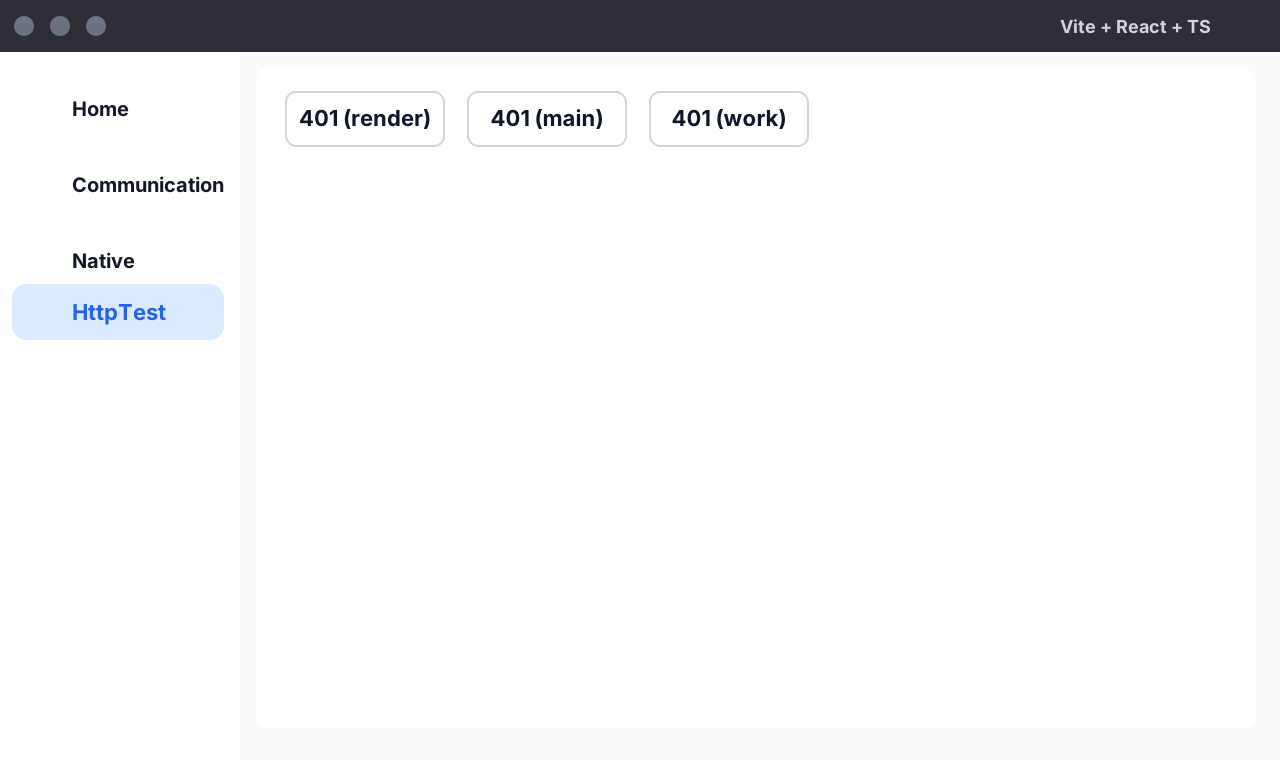
All three process scenarios can work with the same upper-layer request style, which is the real payoff of the abstraction.