Skip to content
Styling Solutions in React
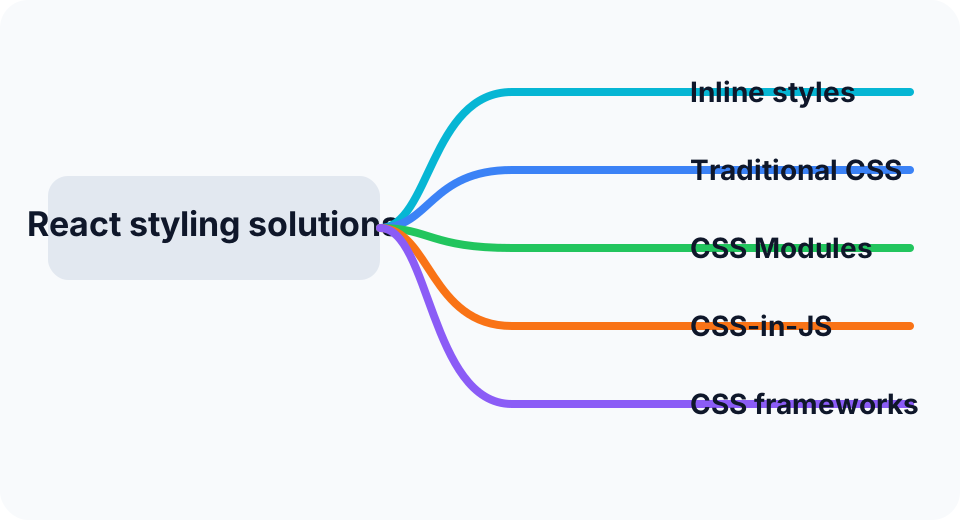
Inline styles
React supports inline styles by passing a style object directly to an element.
javascript
const MyComponent = () => {
  const styles = {
    backgroundColor: 'blue',
    color: 'white',
    fontSize: '16px',
  };

  return <div style={styles}>This is a styled component.</div>;
};
Pros
- avoids naming collisions
- supports dynamic styles naturally
- keeps style logic close to the component
- works well with JavaScript variables and branching
Cons
- styles are harder to cache and reuse
- pseudo-classes and media queries are not directly available
- runtime style object generation can add overhead
- browser devtools workflows are less natural than stylesheet-based styling
Traditional CSS
A basic and familiar option is to keep styles in standalone CSS files and import them into components.
css
.myComponent {
  background-color: blue;
  color: white;
  font-size: 16px;
}
javascript
import React from 'react';
import './styles.css';

const MyComponent = () => {
  return <div className="myComponent">This is a styled component.</div>;
};
Pros
- familiar and simple
- lightweight
- good for global design rules
Cons
- global scope can lead to collisions
- weak isolation
- reuse and composition are less structured
- large projects can become hard to maintain
- dynamic styling is less convenient
CSS Modules
CSS Modules scope styles to a component by turning class names into locally scoped identifiers.
css
.myComponent {
  background-color: blue;
  color: white;
  font-size: 16px;
}
javascript
import React from 'react';
import styles from './MyComponent.module.css';

const MyComponent = () => {
  return <div className={styles.myComponent}>This is a styled component.</div>;
};
Pros
- local scoping
- fewer naming conflicts
- easier reuse and modularity
- good build-time optimization opportunities
Cons
- some learning curve
- extra setup compared with plain CSS
- dynamic styling is still more limited than JavaScript-driven approaches
CSS-in-JS
CSS-in-JS lets you define styles directly inside JavaScript, often with libraries such as Styled Components or Emotion.
javascript
import React from 'react';
import styled from 'styled-components';

const StyledDiv = styled.div`
  background-color: blue;
  color: white;
  font-size: 16px;
`;

const MyComponent = () => {
  return <StyledDiv>This is a styled component.</StyledDiv>;
};
Pros
- strong component-level encapsulation
- dynamic styles based on props or state
- styles and component logic stay together
- reusable style primitives
- some libraries add prefixing and optimization automatically
Cons
- higher learning curve
- possible bundle size impact
- runtime costs in some implementations
- extra dependencies
- editor tooling can vary by setup
CSS frameworks
Another approach is to rely on a CSS framework such as Bootstrap or Tailwind CSS.
Tailwind example:
javascript
<div className="text-red-500 text-lg">Hello World!</div>Pros
- faster UI delivery
- consistent visual system
- strong support for responsive design
- large ecosystem and community
- often highly practical for teams
Cons
- can introduce a lot of unused styles if not managed carefully
- framework conventions may fight custom design needs
- overriding styles can become awkward
- requires learning the framework's model
Summary
There is no universal best choice.
- Use plain CSS when the project is simple and global styling is acceptable.
- Use CSS Modules when you want local scoping without moving styling into JavaScript.
- Use CSS-in-JS when dynamic styling and component-level encapsulation matter a lot.
- Use a framework when delivery speed and consistency are more important than full styling freedom.
- Use inline styles sparingly, usually for highly dynamic one-off cases.
In real projects, the right answer often depends on team habits, design complexity, performance goals, and build tooling.