Skip to content
Development in the Frontend Engineering Workflow
Hi, I'm Terence. Today let's look at one of the most important parts of the frontend engineering workflow: development.
Introduction
Modern frontend work depends heavily on engineering tools and runtime feedback loops. This article is not about how to write business code line by line. It is about the engineering concepts around development itself, especially dev servers, hot reload, mock data, and proxying.
These tools are common in daily work, but many developers use them without a clear picture of what they are doing underneath.
Dev server
Let's start with the dev server.
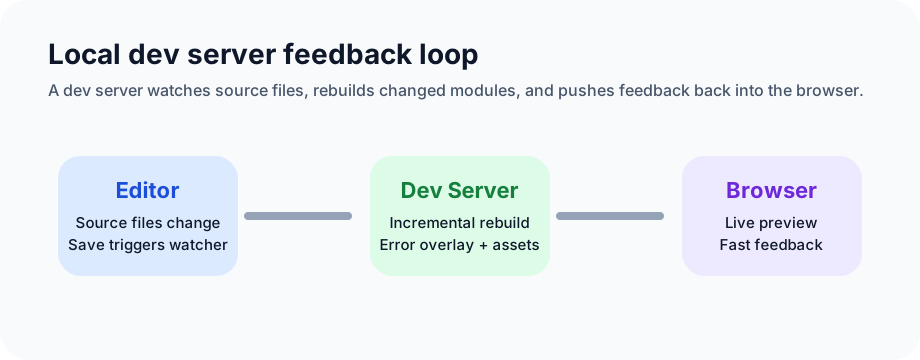
A dev server gives developers live preview, rapid rebuilds, and error reporting so they can stay focused on implementation instead of constantly rebuilding or refreshing by hand.
Its core role is to run a local HTTP server that watches the file system and reflects changes back into the browser.
- Live preview: the dev server keeps a long-lived connection open with the browser, usually through WebSocket or SSE.
- Fast rebuilds: modern bundlers use incremental compilation so only changed parts are rebuilt.
- Error feedback: syntax and build errors are surfaced immediately, often directly in the browser overlay.
This feedback loop is one of the biggest productivity multipliers in frontend development.
Hot reload
Hot reload, especially HMR, is one of the most important capabilities in modern frontend tooling.
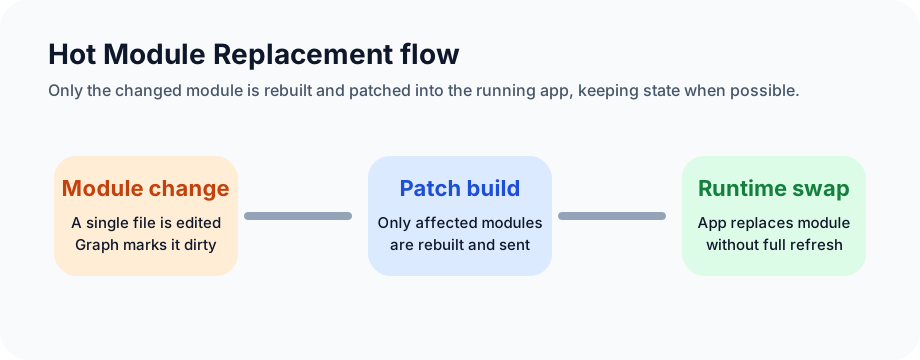
With hot updates, developers can see the effect of code changes without losing application state. That matters a lot in stateful interfaces where a full page refresh would interrupt the working flow.
The underlying mechanism is Hot Module Replacement:
- Module replacement: only the changed module is rebuilt and sent to the browser.
- Runtime patching: the browser runtime swaps in the new module without reloading the whole page.
- State preservation: in many cases, application state can remain intact during the update.
This speeds up iteration and keeps the mental model of the UI intact while you work.
Mock data
Mocking is often a lifesaver in frontend-backend parallel development.
When an API is not ready yet, frontend work does not need to stop. Mock data lets teams keep building and testing flows without waiting on the server side.
The core idea is straightforward:
- Intercept requests: a mock layer catches outgoing HTTP requests.
- Return predefined data: matching routes respond with static or generated payloads.
- Integrate with local tooling: the mock layer plugs into the local dev or test environment.
Mocking is especially useful early in a project, in test environments, and in workflows that need deterministic fixture data.
Proxy
A proxy helps frontend teams forward requests and solve development-time cross-origin issues.
In practice, the proxy server sits between the browser and the target backend.
- Request forwarding: the local proxy receives a request and forwards it to the configured backend target.
- Response forwarding: the proxy receives the backend response and returns it to the browser.
- Rule-based configuration: teams define which paths should be proxied and where they should go.
Besides cross-origin convenience, proxies can also help hide backend origins and make local environments more flexible.
Closing
Dev servers, hot reload, mocking, and proxies are foundational tools in modern frontend engineering. They improve speed, lower feedback latency, and make local development much less painful.
Using them well is not just about memorizing commands. It is about understanding the workflow they enable, so that when something breaks, you know where to look first.